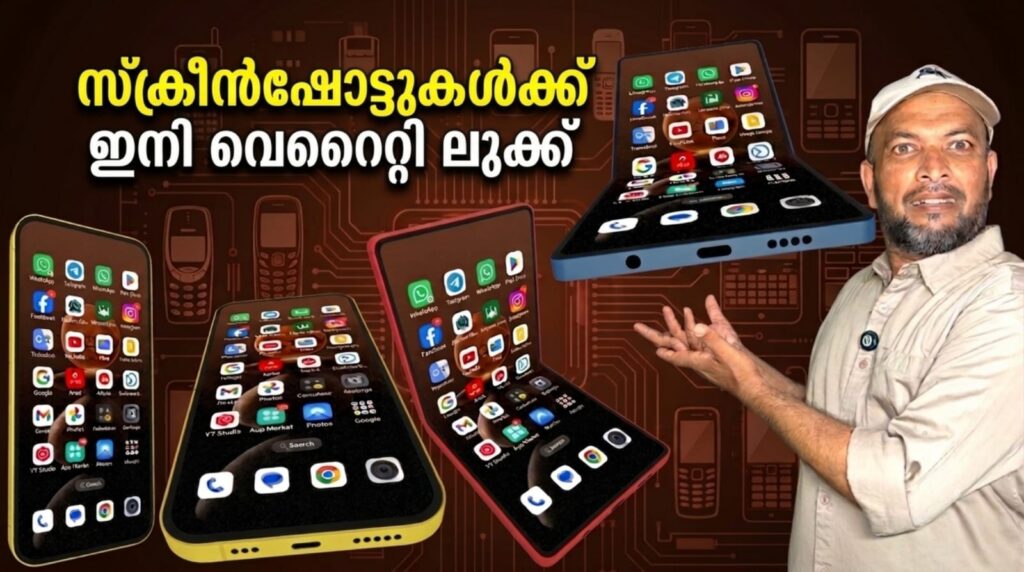
If you share mobile screenshots online, presentation can make a big difference. Screenshot Framer – Mockups is a useful Android app that helps turn ordinary screenshots into polished visuals by adding realistic device frames. Instead of posting plain images, users can create professional mockups for social media, portfolios, app showcases, and presentations. According to its Google Play listing, the app is designed for users who want clean and attractive framed screenshots with minimal effort. It is especially helpful for developers, designers, bloggers, and content creators.
What Is Screenshot Framer – Mockups?
Screenshot Framer – Mockups is an Android app developed by LogicUI and listed in the Tools category on Google Play. It allows users to import screenshots and place them inside adaptive phone frames that automatically fit the image size. Unlike some basic framing apps, it reduces the need for manual cropping or stretching.
The Google Play listing also notes support for screenshots from unusual screen shapes such as foldable devices and horizontal screenshots. This gives users more flexibility when working with modern smartphones and tablets. The app was updated on July 5, 2025.
Top Features of Screenshot Framer
One of the main highlights of the app is its adaptive framing technology. Users can add frames around screenshots quickly while keeping the original proportions of the image. This helps create more professional-looking visuals without editing skills.
Another standout feature is 3D mockup mode. The app lets users place screenshots into a 3D phone model and rotate it into different positions. This is useful for app launch banners, website graphics, or product presentations where a more dynamic design is needed.
The app also supports transparent backgrounds, allowing creators to place framed screenshots onto custom backgrounds later. Users can also choose solid colors inside the app if they prefer a ready-made export.
A creative extra tool is the ability to convert video screenshots into GIFs while adding a frame at the same time. This can help create animated previews for apps or social media content.
Why This App Is Useful
Screenshot Framer is useful for many types of users. App developers can use it for Play Store visuals, UI designers can showcase concepts professionally, and bloggers can improve tutorial screenshots. Social media creators may also use it to make Instagram Stories, YouTube thumbnails, or product previews more attractive.
Because everything can be done directly on Android, users do not always need desktop software for simple mockup work. This saves time and makes content creation more convenient.
Ratings and Privacy
The Google Play listing shows a 4.2-star rating, with many users praising the ease of use and quality results. Data safety information states that the developer says no data is shared with third parties and no data is collected.
If you need a reliable mockup creator app for Android, Screenshot Framer – Mockups is worth trying. It combines screenshot framing, 3D device mockups, transparent exports, and simple editing tools in one lightweight package.