Customizing an Android home screen can make a smartphone feel more personal, organized, and convenient. Photo Actions: Change App Icon is an Android customization app that lets users replace standard app icons with personal photos and create customized shortcuts directly on the home screen. It also provides options for creating invisible shortcuts, flashlight controls, direct dialers, website launchers, and text widgets.
What is Photo Actions?
Photo Actions is a home-screen widget and customization tool developed by CFY Apps. The app allows users to create shortcuts using images from their gallery and place them on the Android home screen. These shortcuts can launch selected applications with a simple tap.
One of its notable features is the ability to make shortcuts transparent. This allows users to create a minimalist home screen or hide an app shortcut behind an area of the wallpaper.
Key Features of Photo Actions
Custom Photo App Icons
Users can select an image from their gallery and use it as a customized shortcut for an application. This makes it possible to create an aesthetic home screen that matches a preferred theme or personal style.
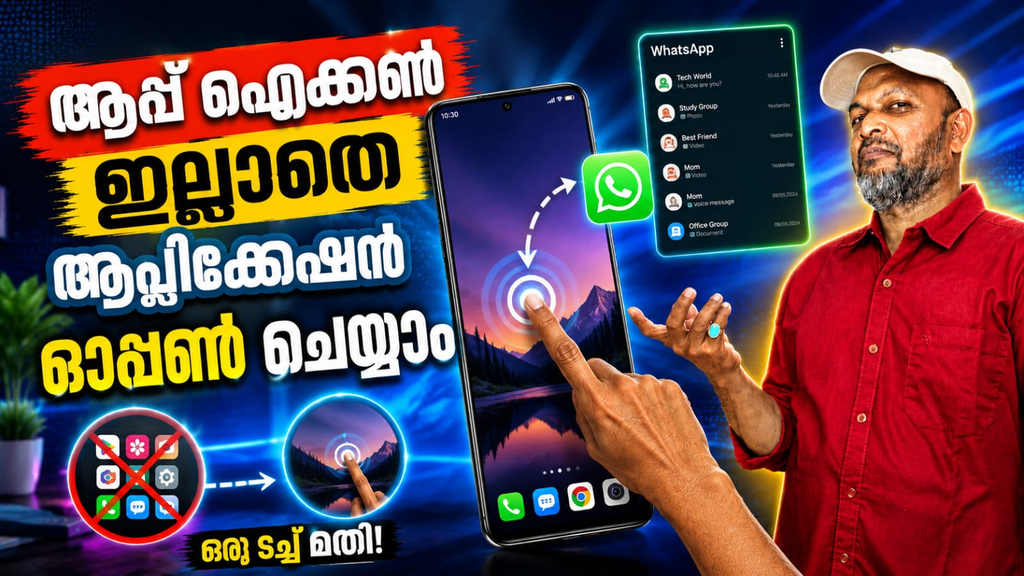
Invisible App Shortcuts
Photo Actions includes a transparency slider that can make a shortcut completely invisible. Users can then tap the selected area of the wallpaper to launch the associated app. This feature can be useful for creating a clean, minimalist layout.
Built-In Productivity Tools
The app is not limited to app shortcuts. Users can create widgets for useful everyday actions, including a flashlight toggle, direct dialer, website launcher, and text notes. These tools can place frequently used functions directly on the home screen.
Privacy-Focused Design
According to the Google Play listing, Photo Actions uses Android’s photo picker, so users do not need to grant broad storage access to select images. The developer also states that personal photos and installed apps remain on the device and are not collected or shared.
Lightweight Performance
Photo Actions is built using native Android widget APIs and is designed to work without replacing the device’s existing launcher. This can make it a convenient option for users who want home-screen customization without installing a complete custom launcher.
Benefits of Using Photo Actions
Photo Actions can help users create a more personalized Android home screen without complicated design tools. You can use favorite photos as app icons, create transparent shortcuts, or place frequently used tools where they are easy to access.
The app can also be useful for people who prefer minimalist layouts. By reducing visible icons and using customized widgets, users can create a cleaner-looking home screen while keeping important applications accessible.
Pricing and Updates
The Google Play listing states that users can add widgets by watching a short advertisement, while a one-time lifetime Pro purchase is available to remove ads. The app was updated on August 28, 2026, with stability and SDK improvements, including a fix for an ANR issue and image compression improvements.
Photo Actions is a flexible Android customization app for users who want more control over their home-screen appearance. With photo-based app icons, invisible shortcuts, productivity widgets, privacy-focused image selection, and lightweight performance, it offers a creative alternative to traditional app shortcuts.
Photo Actions, Photo Actions app, change app icon, Android home screen customization, custom app icons, photo widgets, invisible app shortcut, Android widget app, aesthetic home screen, custom Android launcher, app icon changer, home screen organizer.